Order of the Sinking Star preserves an unfinished puzzle's location and arrangement when you leave the mission, so you can try another area and return to where you stopped. You do not have to solve the room before taking a break from it. Return to the same campaign and puzzle to continue that attempt rather than starting a new campaign or resetting the room.
Keeping an attempt and resetting to a checkpoint are different actions. A checkpoint gives you a puzzle state to return to when you want to undo the current arrangement; leaving the area can preserve the arrangement instead. Exact disk-write timing, a release save-file path, crash recovery, and cross-platform transfer are not verified by this guide.
Leave an Unfinished Puzzle Without Resetting It
If you are stuck, use the available menu route to leave the area and return to the overworld. The game allows you to change the puzzle system you are working on rather than requiring a complete solution before you can leave.
Before leaving, identify the arrangement you want to keep. Check the selected characters, the positions of the movable objects, and the step you were planning next. These are the details that matter when you later return to the attempt.
Do not press Restart simply because you intend to stop working on the room. Restart requests a reset of the puzzle; leaving is the action that lets you set the attempt aside. If you reset first, the state you resume may be the reset arrangement rather than the experiment you meant to preserve.
Return to the Same Campaign and Entrance
When you come back, make sure you are using the campaign in which you made the attempt. A different campaign represents a different run. Starting a fresh campaign is not the command for continuing an unfinished room.
Then locate the same puzzle entrance and inspect the room before moving. Many challenges share objects and mechanics, so identify the room by its layout as well as its world. A broken bridge with two crystals is not interchangeable with a larger gap containing several more crystals.
Compare the object positions with the arrangement you left behind. This check is useful even when you clearly recognize the area: a familiar starting layout can resemble an earlier stage of your attempt, while a similar neighboring room can look like a reset.
If the arrangement matches, resume from the next action you intended to test. You do not need to repeat the entire setup merely because you have spent time in another world. If it does not match, establish the room and campaign identity before concluding that your progress was lost.
Distinguish Three Kinds of Progress
It helps to separate the kinds of state you are trying to preserve:
| State you care about | What to inspect on return | Why the distinction matters |
|---|---|---|
| Campaign progress | The areas and challenges reached or completed in that run | A different run can show a different overall state |
| Current puzzle arrangement | Character and object positions in your unfinished attempt | Leaving an area can preserve the setup you were working on |
| Active checkpoint arrangement | The state restored by reset-to-checkpoint | Reset is meant to replace the current attempt with that return state |
A checkpoint is particularly relevant in the longer connected areas. You can reach a new section, trigger its checkpoint, and keep experimenting beyond it. Returning to that checkpoint is a deliberate correction to the puzzle state, whereas leaving the area can keep the arrangement you have already made.
Keep Your Setup Intact When Changing Worlds
The game's four worlds provide different puzzle systems. If a room becomes difficult to reason about, you can leave it, work elsewhere, and return with the earlier attempt intact. That is a useful part of the nonlinear structure rather than a workaround that requires finishing the room first.
Write one short note before switching: what you were testing and what you intended to try next. The stored arrangement preserves positions, but it does not preserve your reasoning. A room can look exactly as you left it while the purpose of one carefully positioned object has become hard to remember.
Use a note that connects an object to its job. For example, “leave this crystal here so the mirror has room to move” records the reason for the arrangement. “Almost solved” does not help you continue when you return after several other puzzles.
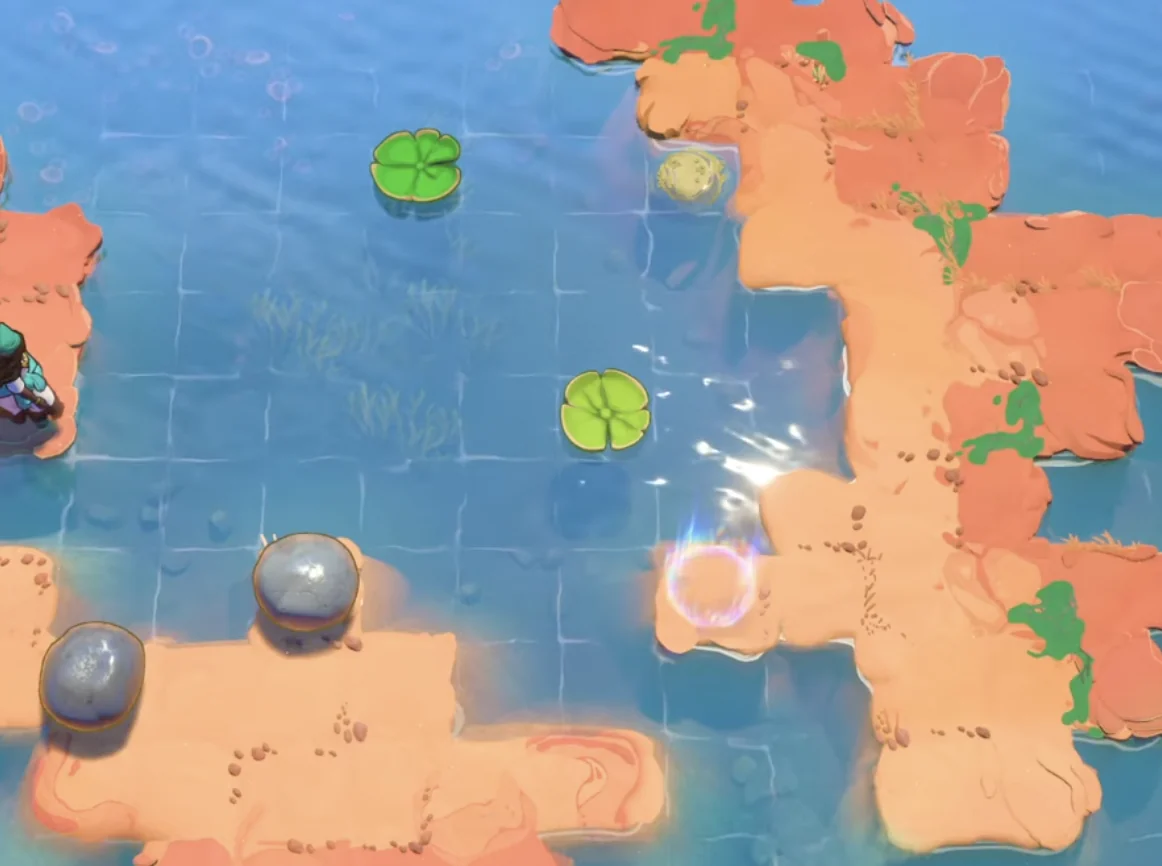
Record recognizable stone and lily-pad positions before leaving an unfinished attempt.
Plan a Small Quit-and-Resume Check
Returning from the overworld demonstrates one kind of persistence. Closing and reopening the game is a separate check you can make on your own installation before relying on a long session. Keep that test small and easy to compare.
- Use the campaign you intend to keep playing.
- Reach a familiar room and make a simple, recognizable arrangement.
- Record the room, current objects, and your campaign selection.
- Close the game through its available menu options.
- Reopen it and resume the same campaign.
- Inspect the same room before issuing new movement inputs.
Protect a Good Arrangement from an Accidental Reset
On the documented PC layout, Z is Undo and R is Restart. On the Xbox layout, Y is Undo and the View button is Restart. Keep the command names distinct even if you use another configured layout.
When the goal is to retain an attempt, check which correction command you are reaching for. Undo follows the move history; Restart asks for a reset. Neither command is simply a substitute for leaving the room.
In connected Skipping Stones play, undo can also go back past a checkpoint and undo the checkpoint itself. That can be useful when you want to change an earlier setup, but it means your active return state can change as you rewind. Before a long correction sequence, identify the arrangement you are trying to reach.
Likewise, a reset to the checkpoint can restore object positions from when you triggered that marker. If a carried stone was already in an awkward place at that time, seeing it remain there afterward is not necessarily a save failure. Compare the current state with the checkpoint arrangement rather than with the much earlier start of the area.
Investigate an Unexpected Fresh Start
If the game opens into a fresh run, first inspect the campaign selection. Determine whether you have resumed the expected campaign or begun another one. Preserve what is currently visible before experimenting with file changes.
If the interface offers another-campaign loading, inspect the available entries. Do not repeatedly create new campaigns while looking for the older attempt. A fresh opening and an absent campaign are different observations, and identifying the menu state gives you a clearer next step.
Capture the area you expected to resume and a recognizable completed challenge from that run. Compare both with what the selected campaign now shows. If only one room's arrangement differs, check whether a reset or undo occurred. If the whole run differs, campaign selection deserves attention first.
Preserve Context for an Unresolved Persistence Issue
If the expected campaign still cannot be found, record the circumstances instead of assigning a cause from the last puzzle you happened to play. The useful facts are the game version or full-game status, device, campaign selection, last recognizable area, and whether the interruption was normal or a crash.
If you have already identified the relevant files through current game or support information, make an untouched copy before any proposed repair. Keep the copy separate from the working installation so repeated tests do not replace the state you are trying to recover.